How it works
Photos → measurements → 3D model → estimate → CRM. Steps marked “Ready now” work today; the others roll out next.
Photos Ready now
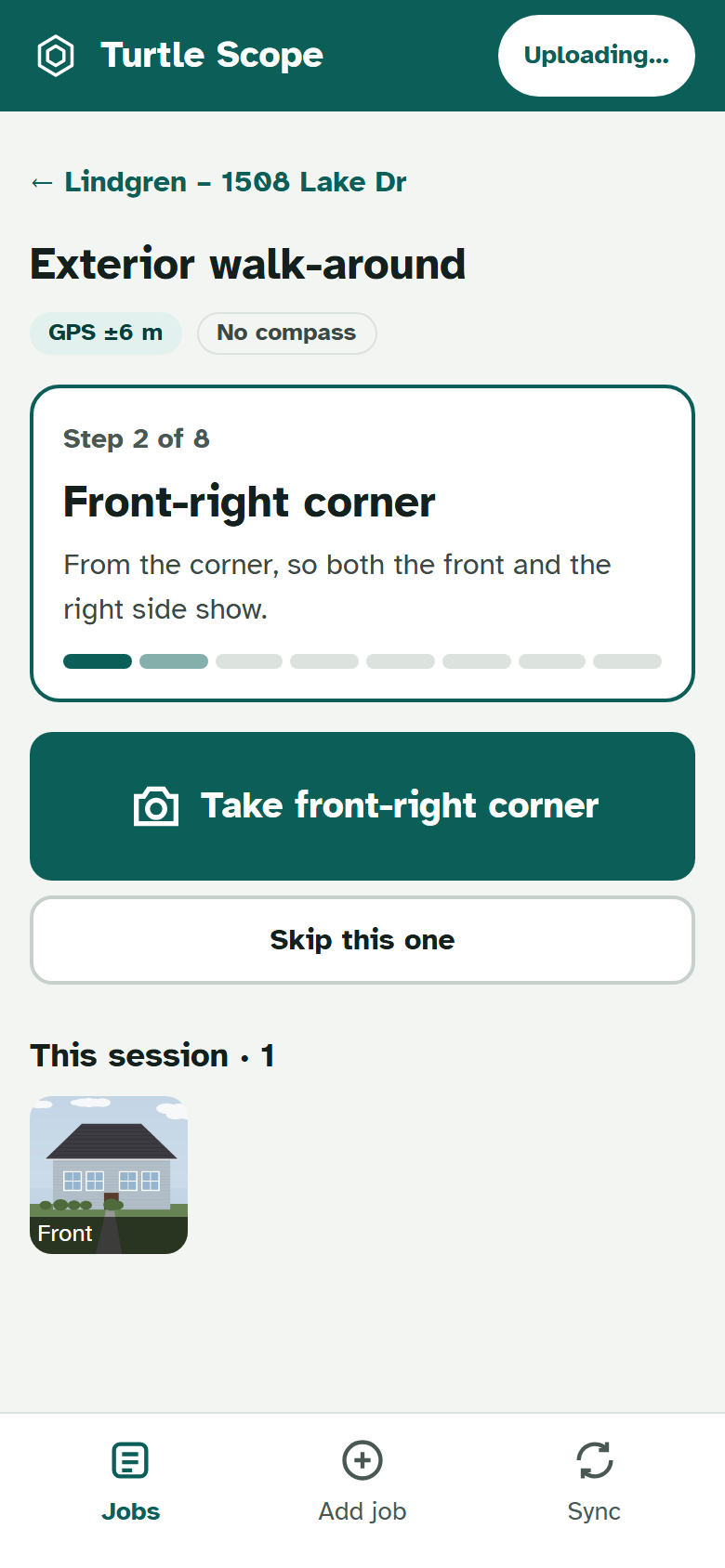
Add the client and address once, on the web or the phone. Your crew opens the job on their phone, follows the guided walk-around (front, each corner, each side) and shoots into albums. Every photo carries GPS, compass heading, time and device. No signal? It all waits on the phone and uploads itself later.
Measurements Ready now
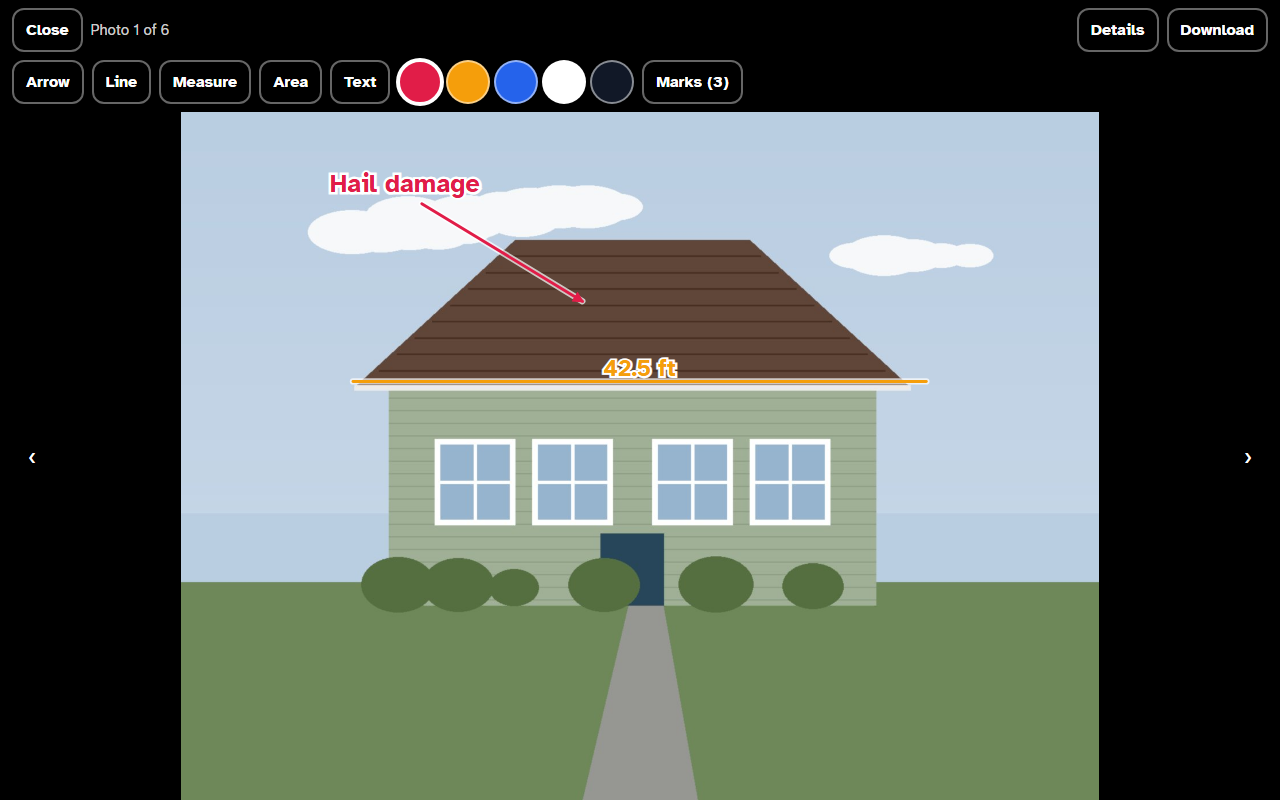
Type in tape and laser measurements, or draw a line on a photo and enter its length. Every number shows where it came from: measured, a standard size, or an estimate. Next: import Hover and QuickMeasure reports and measure from photos.
3D model Coming next
The measurements become a 3D model of the rooms or the house, with an existing and a proposed version you can flip between and share with the homeowner.
Estimate Coming next
Your price book and the model’s quantities make good, better and best estimates. Send a PDF and a share link; when the client accepts, the job moves in your CRM.
CRM Ready now
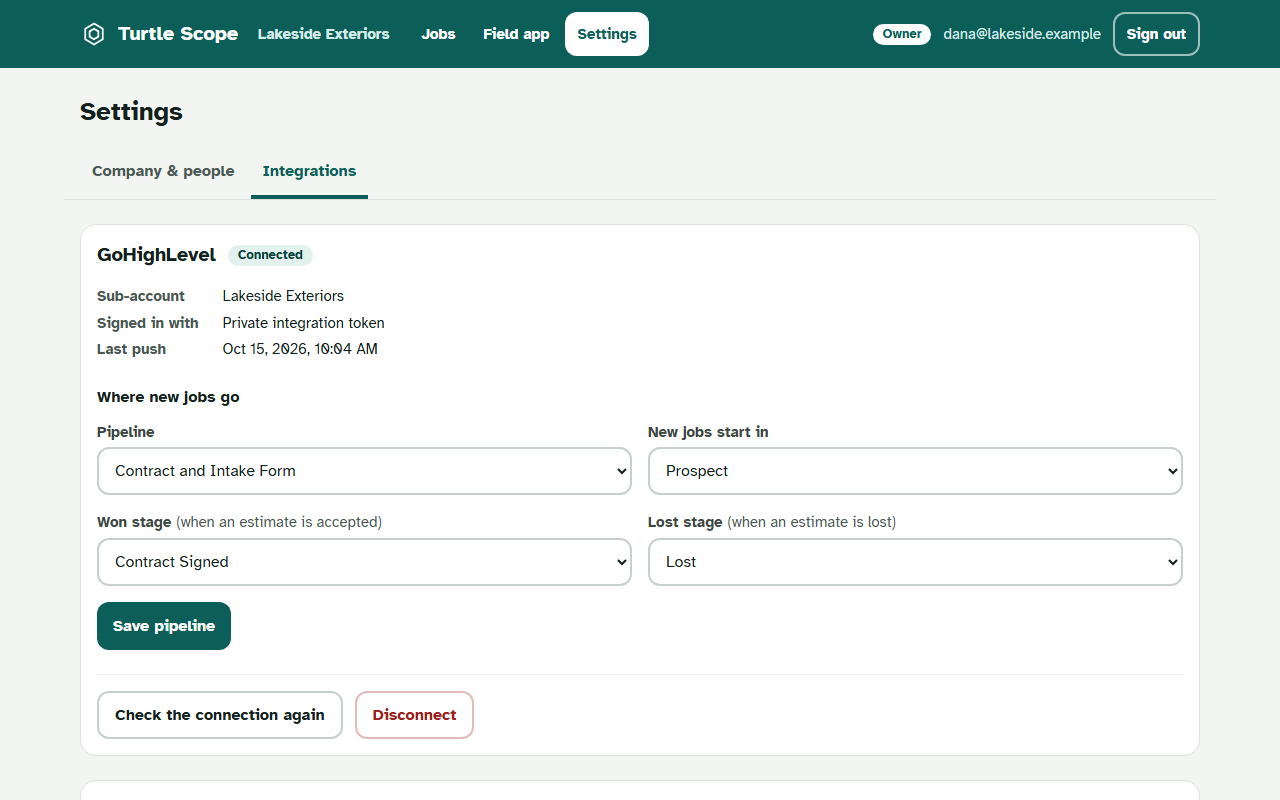
Connect your GoHighLevel sub-account once and pick the pipeline. New clients become contacts and new jobs become opportunities automatically, without duplicates. If GoHighLevel is down, Turtle Scope retries on its own and shows you anything that still didn’t go through.
Want to see it on one of your jobs?
Book a demo